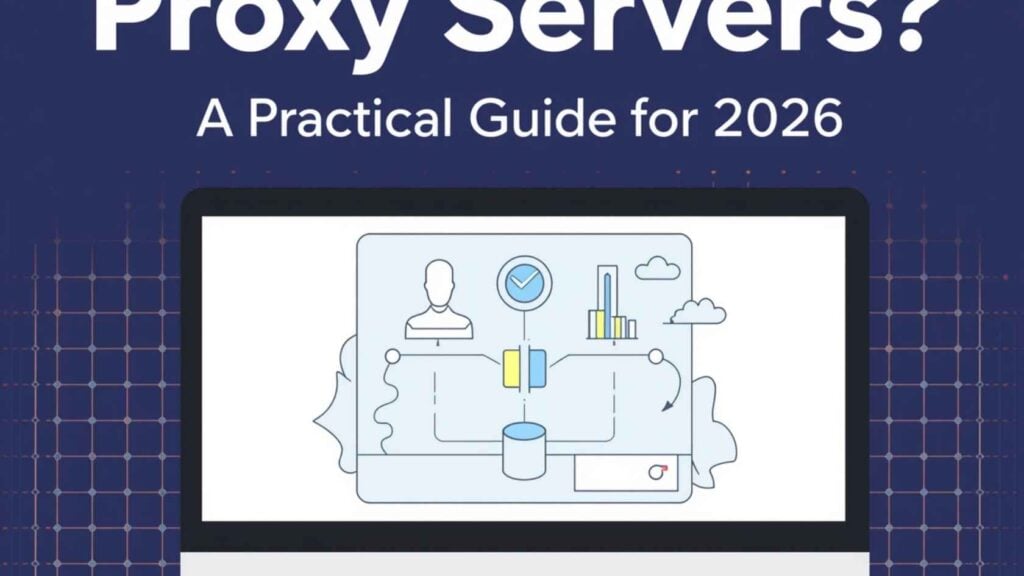
A proxy server sits between your device and the rest of the internet, taking your requests, forwarding them on your behalf, and returning the responses. To the website on the other end, the traffic looks like it came from the proxy, not from you.
That’s the one-sentence answer. The interesting question is why anyone needs one — and that answer has changed a lot in the last few years.
In 2026, proxies aren’t mostly about hiding from your ISP. They’re the infrastructure layer underneath web scraping, AI training data pipelines, ad verification, sneaker bots, market research, geo-restricted media, multi-account e-commerce, and roughly half of what serious online operators do. This guide walks through what proxies actually are, the types worth knowing about, and how to choose one without getting burned.
Tired of IP bans stalling your operations? Deploy our Residential Proxies for high-velocity rotation or secure ISP Proxies for total account longevity.
How a proxy server actually works
When you load a website without a proxy, your computer opens a connection to the site’s server and sends a request that includes your IP address — a number that identifies your network and reveals your approximate location.
With a proxy in the path, that flow becomes:
- Your computer sends the request to the proxy server.
- The proxy makes the request to the destination site, using its IP address.
- The destination site sends the response back to the proxy.
- The proxy forwards the response to you.
The site sees the proxy’s IP, not yours. Depending on the proxy’s location and type, that single change is enough to bypass geographic restrictions, distribute requests across many apparent identities, or simply prevent the destination from linking your activity to your real network.
One clarification worth making upfront, because the original web is full of bad information on this: proxies are not VPNs. A VPN encrypts your entire device’s traffic and routes it through a tunnel. A proxy typically handles traffic for a single application (usually a browser or scraper) and doesn’t necessarily encrypt anything. Some proxies do support encryption (HTTPS proxies), but encryption isn’t what makes a proxy a proxy.
The proxy taxonomy that actually matters
Most “types of proxies” articles flatten three different dimensions into one confusing list. They’re separate questions:
1. Who is the proxy acting for?
- A forward proxy acts on behalf of the client (you). When people say “proxy” without qualifying, this is what they mean. It sits between internal users and external services, forwarding client requests to the internet.
- A reverse proxy acts on behalf of a server. It receives incoming requests from external clients and routes them to backend systems, typically used for load balancing, TLS termination, traffic steering, and web application protection. If you’ve ever used Cloudflare or NGINX, you’ve used a reverse proxy. As a consumer or scraper, this isn’t the kind you’re buying.
2. What protocol does the proxy speak?
- HTTP / HTTPS proxies handle web traffic. The most common option for browser-based use and web scraping.
- SOCKS5 proxies work at a lower level and can handle any TCP traffic — useful for non-web applications, BitTorrent clients, and some bot frameworks.
3. Where does the proxy’s IP come from?
This is the dimension that matters most for serious use, and it’s the one most explainers skip.
- Datacenter proxies are IPs hosted in commercial data centers. Fast and cheap, but easy for sophisticated sites to identify and block — Cloudflare, PerimeterX, and similar systems flag entire datacenter ranges by default.
- Residential proxies are IPs assigned by ISPs to real homes. To the destination site, traffic from a residential proxy looks indistinguishable from a normal user’s traffic. Slower and more expensive than datacenter proxies, but dramatically more durable.
- Mobile proxies route through cellular carrier IPs. The strongest at evading detection (because carriers share IPs across many subscribers, making blocking a single IP risky for the site), but the most expensive.
- ISP proxies are a hybrid — datacenter-hosted IPs registered under residential ISPs. Faster than true residential, less detectable than pure datacenter.
Most “anonymous,” “transparent,” “elite,” and “anonymizing” proxy categories you’ll see in older articles are really just describing how a proxy handles HTTP headers — whether it reveals that a proxy is in use, and whether it forwards your real IP in an X-Forwarded-For header. For most modern use cases, you want a proxy that doesn’t disclose either, and any reputable residential provider handles this by default.
What people actually use proxies for in 2026
The legacy use cases — “bypassing your school’s filter,” “watching geo-blocked Netflix” — still exist, but they’re a small share of the real market. The bigger and faster-growing use cases:
Web scraping and data collection. Pulling product prices, reviews, search rankings, social media posts, real estate listings, or job postings at scale. Any target site worth scraping has anti-bot protection that will block a single IP within minutes. Rotating residential proxies are how scrapers stay in business.
AI training data and retrieval. The largest single growth driver in proxy demand over the last two years. AI companies and the agencies serving them need to collect, refresh, and verify huge volumes of public web data. Datacenter IPs get blocked; residential pools don’t.
Ad verification. Brands paying for ads need to confirm their ads actually appear, in the geographies they paid for, and that competitors aren’t running deceptive creatives against their keywords. This requires checking from real IPs in the target country.
Multi-account management. E-commerce sellers running multiple stores on Amazon, eBay, Etsy, or TikTok Shop need each account to look like a separate, real user — which means each needs its own IP, fingerprint, and session history. Platforms now correlate accounts across IPs aggressively; a shared IP is the fastest way to a coordinated ban.
SEO and SERP monitoring. Search results vary by location. Tracking rankings in different cities or countries requires queries from IPs in those locations.
Sneaker, ticket, and limited drop purchasing. Limited-stock retail releases use IP-based purchase limits. Buyers who run multiple checkouts route each through a different residential IP.
Market and competitive research. Pricing, inventory, and assortment data from competitors — the same scraping problem, but with different downstream use.
If you found this article by Googling “what are proxy servers,” you probably arrived here because of one of the use cases above. The takeaway: which type of proxy you need is downstream of which job you’re trying to do. Datacenter is fine for general SEO checks; residential is necessary for anything that hits well-defended sites; mobile is for the hardest targets.
The honest tradeoffs
Proxies aren’t free wins. Real costs:
- Speed. Every request hops through an additional server, which adds latency. Residential proxies are slower than datacenter because the underlying connection is whatever home internet line the IP is on.
- Cost. Quality residential proxies are billed by bandwidth (commonly $4–$15/GB depending on provider and volume). Scrapers that pull image-heavy pages burn through GB quickly.
- Trust. The proxy provider sees every request you route through them. Cheap or free proxies are especially risky here — many “free proxy lists” are honeypots run by malicious operators specifically to harvest credentials and inject malware. This isn’t paranoia, it’s how the market actually works.
- Legal and ToS gray areas. Using proxies isn’t illegal in any jurisdiction I’m aware of, but specific uses (violating a site’s terms of service, automated account creation, scraping personal data) can be. The proxy doesn’t change what’s legal; it changes who notices.
How to choose one without getting burned
A few practical filters:
- Buy residential IPs from a provider that owns or properly licenses its IP pool. “Free residential proxy” networks are usually peer-to-peer botnets where unwitting users have had their bandwidth resold. Beyond ethics, those IPs are reused, often blocked, and unreliable.
- Match IP type to the target. Don’t pay for residential bandwidth to scrape sites that don’t bother with anti-bot defenses. Don’t try to make datacenter proxies work against Instagram or TikTok.
- Test rotation behavior. Good providers offer both rotating IPs (a new IP on every request) and sticky sessions (the same IP for 10–30 minutes). You’ll need both for different jobs.
- Look for geographic granularity. Country-level targeting is the floor; city-level matters for ad verification and SERP monitoring.
- Check support and uptime, not just price. A provider that’s $2/GB cheaper but goes dark for six hours during a major scrape costs more in practice than one that’s slightly more expensive and stable.
IPBurger sits in this category — residential and dedicated IPs, country-level targeting, sticky sessions when you need them — but the broader point applies regardless of who you buy from. The infrastructure layer is rarely glamorous and almost always the thing that decides whether a project works.
FAQ
Are proxy servers legal? Yes, in essentially every jurisdiction. What you do with a proxy can be subject to other laws and platform terms of service, but the tool itself is legal and widely used in enterprise, security, and research contexts.
Will a proxy make me fully anonymous? No. The proxy provider can see your traffic, and depending on your browser configuration, sites can still fingerprint your device using methods that don’t depend on IP (canvas fingerprinting, font enumeration, WebGL hashes). Proxies handle the network layer; full anonymity also requires browser hygiene.
Do I need a proxy or a VPN? For protecting your everyday browsing on public WiFi, a VPN. For doing automated work at scale (scraping, ad verification, multi-account management, SERP tracking), a proxy — usually residential. They solve different problems and many serious operators use both.
What’s the difference between residential and datacenter proxies? Residential IPs come from real ISPs and look like normal users to destination sites. Datacenter IPs come from commercial hosting providers and are easily identified and blocked by anti-bot systems. Residential costs more and runs slower; datacenter is cheap and fast but limited to soft targets.
Are free proxies safe? Almost never. Free proxies are typically either honeypots designed to harvest data, throwaway IPs that have already been blocked everywhere useful, or peer-to-peer networks built on compromised devices. The cost of a paid proxy is dramatically less than the cost of having a credential stolen.
Your business is only as strong as your proxy uptime. Switch to business-grade Static ISP Proxies for dedicated speeds and unshakeable reliability. OR Deploy Rotating Residential Proxies and achieve a 99.9% scraping success rate.




