
Deploying proxies correctly from day one saves you months of headaches and wasted resources. This proxy deployment guide walks you through everything-from initial setup to managing infrastructure at scale.
At IPBurger, we’ve seen teams struggle with configuration mistakes, performance bottlenecks, and scaling problems that could have been prevented with the right approach. This guide gives you the practical steps to avoid those pitfalls.
Getting Your Proxy Setup Right the First Time
Choose the Right Proxy Type for Your Needs
Picking the wrong proxy type at the start costs you far more than the time saved by rushing the decision. The proxy landscape splits into several categories, and each serves fundamentally different purposes. Rotating residential proxies work best for large-scale web scraping and ad verification because they cycle through real IP addresses tied to actual devices, making them nearly impossible to block. According to data from marketing agencies using rotating residential proxies, success rates hit 99.2% across 500+ clients in 40 countries, compared to much lower rates with basic datacenter proxies on heavily protected sites.
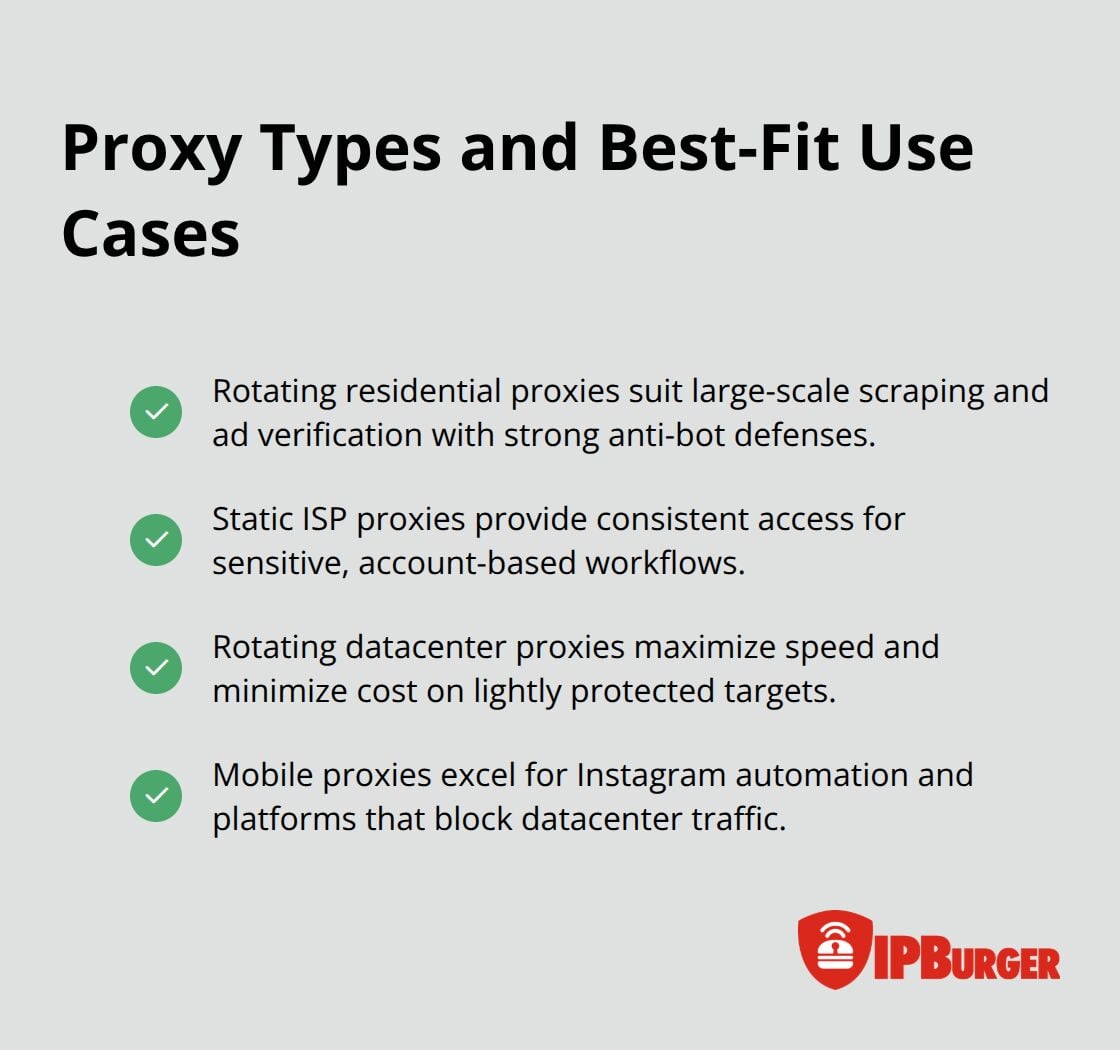
Static ISP proxies combine datacenter speed with residential IP reputation, making them ideal if you need consistent access to sensitive accounts like Amazon, eBay, or Facebook without constant IP changes. Rotating datacenter proxies offer the fastest performance and lowest cost, perfect for targets with weaker anti-bot defenses where speed matters more than stealth. Mobile proxies using 4G and 5G connections work exceptionally well for Instagram automation and platforms that actively block datacenter traffic.
Install and Authenticate Your Proxy
Installation varies by proxy type and your infrastructure, but the principle stays consistent: you authenticate once, then route traffic through the proxy server. For Windows 11, you manually configure your proxy in Settings under Network & Internet, enter your proxy server address and port number, then save the configuration. iPhone users navigate to Settings, select their Wi-Fi network, tap Configure Proxy, choose Manual, and input the proxy credentials.
Most enterprise environments use automatic setup through a PAC file hosted on an internal server, which centralizes management across hundreds of machines. This approach eliminates repetitive manual configuration and reduces errors across your organization.
Test Your Connection and Verify Performance
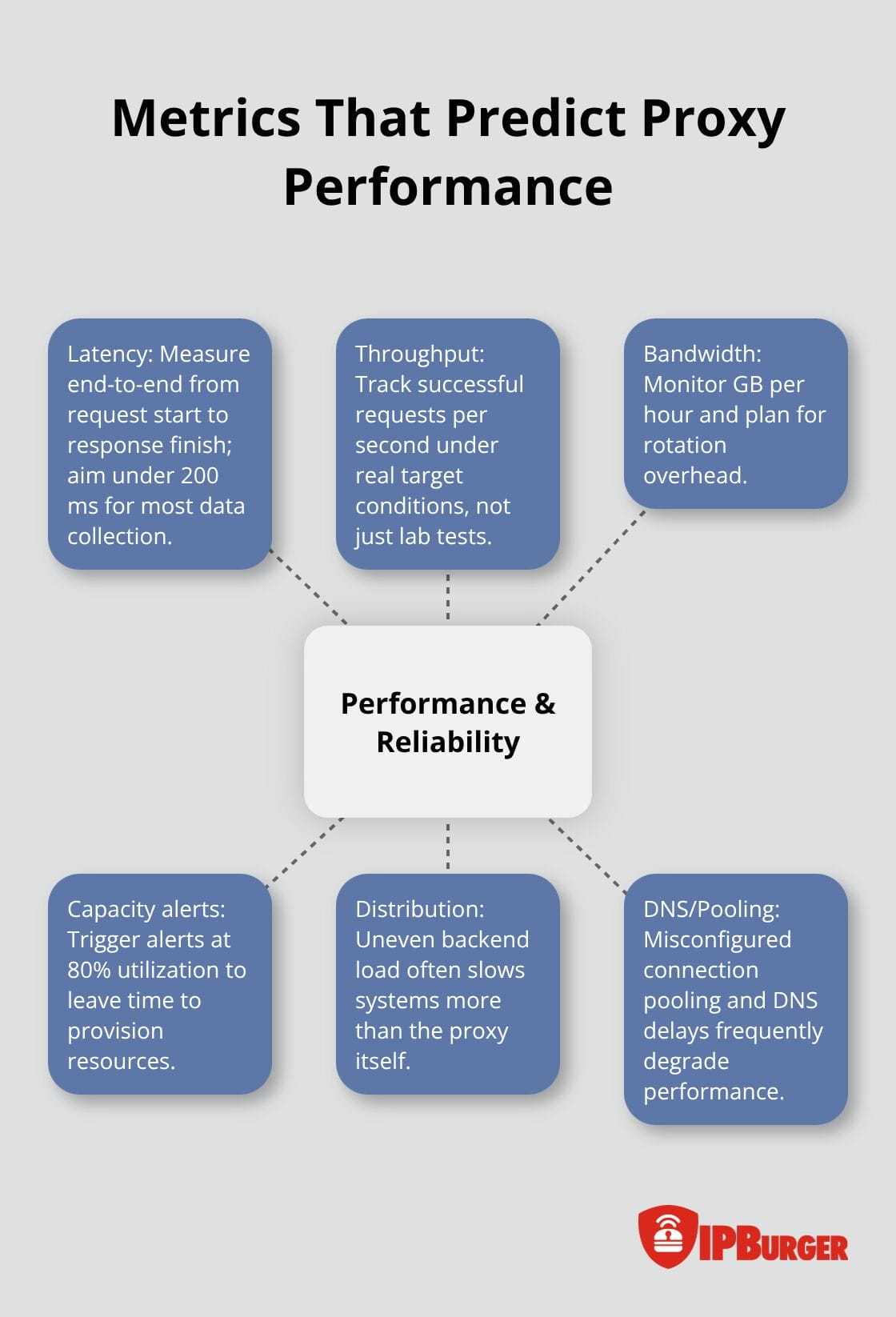
After installation, you test your connection immediately by verifying your IP address matches the proxy location you selected, not your real ISP address. Check latency by measuring response times from your target geography; anything under 200 milliseconds indicates acceptable performance for most data collection tasks.
If you see the 2606 proxy error during Outlook or system updates, you verify your authentication credentials match your dashboard, confirm the correct port and protocol are configured, and whitelist your current IP in your proxy provider’s security settings. Performance testing should include attempts against your actual target websites before scaling, since some sites respond differently to different proxy types and geographic origins (this variation matters far more than most teams expect).
With your initial setup validated and performing well, you now face the next challenge: managing multiple proxies across your infrastructure without creating bottlenecks or uneven load distribution.
Scaling Multiple Proxies Without Creating Bottlenecks
Distribute Load Intelligently Across Your Proxies
Once you move beyond a single proxy, load distribution becomes your biggest operational problem. Most teams assume round-robin distribution-cycling requests evenly across available proxies-will work, but this approach fails spectacularly at scale because it ignores actual backend load. A proxy handling 500 requests per second while another sits idle creates the exact bottleneck you tried to avoid. Instead, implement least-connections load balancing, which routes each new request to whichever proxy currently has the fewest active connections. This algorithm works because it accounts for real traffic patterns rather than assuming uniform request distribution.
Introduce New Proxies Gradually to Avoid Performance Crashes
When you add new proxy nodes to your infrastructure, introduce them gradually rather than immediately routing production traffic. Warm-up periods matter enormously-new hosts need 10 to 15 minutes to reach steady-state capacity before accepting full load, preventing performance crashes from premature traffic surges. This threshold-based approach lets you monitor behavior before committing full traffic volume to untested infrastructure.
Choose IP Rotation Strategies Based on Your Targets
IP rotation strategy depends entirely on your target sites and detection risk tolerance. Rotating residential proxies cycle through new addresses for each request, making them nearly impossible to block on less-protected targets, but they consume bandwidth faster because each rotation incurs overhead. Static ISP proxies work better when you need account persistence-logging into the same platform repeatedly without IP changes that trigger security warnings. For high-volume operations, implement consistent hashing so sessions map to specific proxies rather than random distribution; this prevents session loss when you scale or replace infrastructure.
Monitor Performance Metrics That Actually Matter
Monitor three metrics religiously: latency measured end-to-end from request initiation to response completion, throughput expressed as successful requests per second, and bandwidth consumption in gigabytes per hour. Set alerts at 80% of your capacity thresholds, not 100%, because you need time to provision additional resources before hitting limits. When performance degrades, the culprit is rarely the proxy itself-it’s usually uneven distribution across backends, misconfigured connection pooling, or DNS resolution delays (these three issues account for the vast majority of slowdowns teams experience).
Validate Configuration Against Real Targets Before Scaling
Test your configuration against actual target websites before scaling, since some platforms behave differently under load and may trigger captchas or blocks that you won’t see during small-scale testing. This real-world validation reveals detection patterns and capacity constraints that lab testing misses entirely. Once you confirm your load distribution strategy performs under actual conditions, you’re ready to address the inevitable problems that emerge at scale-connection failures, blocking attempts, and latency spikes that require systematic troubleshooting approaches.
Troubleshooting Common Proxy Issues
Connection failures hit hardest when you scale, and the 2606 proxy error that plagued your initial setup becomes exponentially worse across dozens of proxies. The root cause is almost never what you think it is. Start by verifying authentication credentials match your dashboard exactly-a single character mismatch in your password or username stops all traffic immediately. Next, confirm your port and protocol alignment; HTTP proxies fail silently on SOCKS5 configurations, and vice versa. Then whitelist your current IP address in your proxy provider’s security settings, since many providers block requests from unfamiliar source IPs as a fraud prevention measure. If these three steps don’t resolve your failure, check your firewall rules-port blocks that worked fine during initial testing often slip through in scaled environments because security teams add restrictions without notifying your infrastructure team. When connection timeouts persist, the issue is usually DNS resolution delays or unresponsive backend proxies, not network latency. Measure response times to your proxy server separately from end-to-end latency; if the proxy itself responds in under 100 milliseconds but your full request takes over 500 milliseconds, the bottleneck lives downstream in your target servers, not your proxy infrastructure.
Identify Why Sites Block Your Proxies
Blocking happens because you chose the wrong proxy type for your target’s detection sophistication, not because your setup is broken. High-security platforms like Amazon, Facebook, and eBay flag datacenter proxies within minutes because those IP ranges are publicly documented and easy to identify. Switch to rotating residential proxies for these targets-they cycle through real ISP-assigned addresses, making detection exponentially harder. For account-based access where IP changes trigger security warnings, static ISP proxies maintain consistent addresses while preserving residential reputation. Captcha bombardment signals aggressive blocking, and solving each one manually destroys your throughput. Instead, rotate to a different proxy immediately after hitting a captcha; continuing with the same IP wastes time.
Test Success Rates Before Scaling Operations
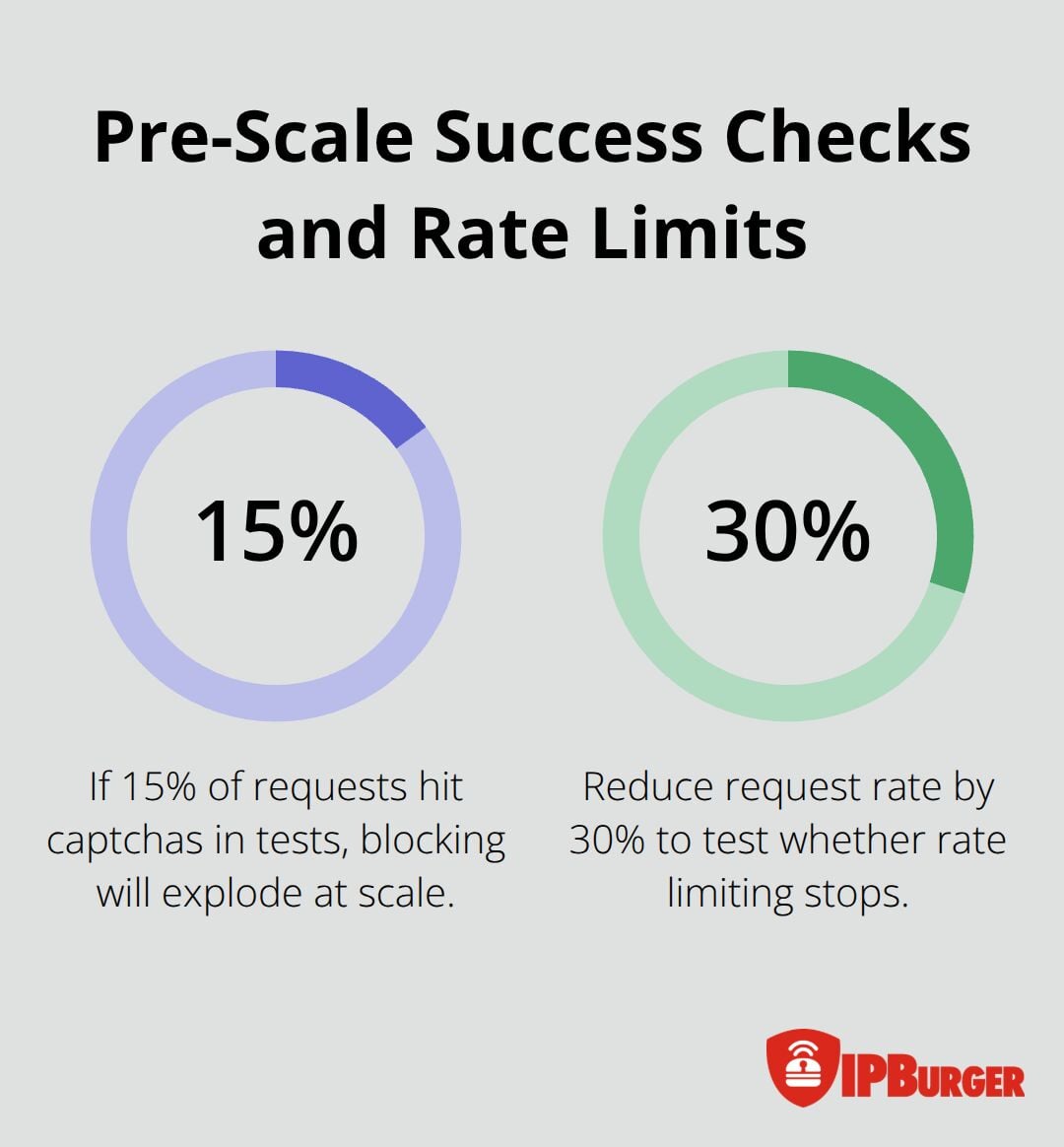
Monitor your success rate against actual targets before scaling-if you hit captchas on 15% of requests in small-scale testing, that rate will consume your entire operation at scale. Some targets implement rate limiting rather than blocking, returning 429 status codes when you exceed their request threshold. Reduce your request rate by 30% and test again; if blocking stops, you’ve found your ceiling.
If blocking continues, the target likely detects your proxy type regardless of speed, forcing a switch to residential proxies or abandonment of that particular target.
Address Latency Spikes and Bandwidth Issues
Latency under 200 milliseconds works for most data collection tasks, but your actual threshold depends on your target and use case. SEO monitoring can tolerate 500 milliseconds; Instagram automation needs under 300 milliseconds or detection algorithms flag the artificial behavior. When latency suddenly spikes from 150 to 400 milliseconds, check three things first: uneven load distribution across your proxies (one proxy handling 80% of traffic while others sit idle), misconfigured connection pooling that reuses stale connections instead of opening fresh ones, and DNS resolution delays that your monitoring tools miss because they measure only the HTTP request portion.
Bandwidth consumption scales predictably with IP rotation frequency-rotating on every request uses roughly 40% more bandwidth than rotating every 10 requests, but rotation every 10 requests increases blocking risk on detection-heavy targets. Calculate your bandwidth budget before scaling; pricing typically runs around $0.70 per GB, so if you’re rotating residential proxies across 100 concurrent requests, expect roughly 1 to 2 GB per hour depending on target response sizes. Implement bandwidth monitoring with alerts at 70% of your monthly allocation, not 90%, because you need lead time to reduce rotation frequency or add budget before hard limits stop all traffic instantly.
Final Thoughts
Proxy deployment at scale demands systematic thinking about your infrastructure from day one. The decisions you make during initial setup ripple through your entire operation, determining whether you scale smoothly or hit cascading failures that consume weeks to resolve. Choosing the right proxy type, implementing intelligent load balancing, and monitoring the metrics that actually predict problems separate teams that scale successfully from those that constantly fight fires.
Your proxy deployment guide should evolve as your infrastructure grows and your targets change. Start with rotating residential proxies for detection-heavy targets and static ISP proxies for account persistence, then adjust based on real performance data from your actual targets. Monitor latency, throughput, and bandwidth consumption continuously-not as afterthoughts, but as core operational metrics that inform every scaling decision.
Long-term proxy management succeeds when you automate what you can and measure what you automate. Set alerts at 80% of capacity thresholds, not 100%, so you provision resources before hitting limits. We at IPBurger support teams managing proxy infrastructure at every scale with rotating residential proxies and coverage across 195 countries, and our platform lets you focus on your business instead of proxy troubleshooting.




