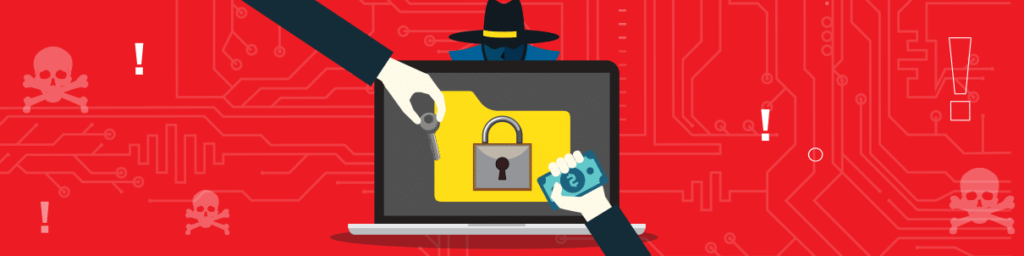
Các cuộc tấn công bằng phần mềm tống tiền đã trở nên rất phổ biến trong những năm gần đây, đặc biệt là vào các năm 2016, 2017 và năm ngoái. Mặc dù gần đây chúng không còn xuất hiện trên các tiêu đề báo chí, các cuộc tấn công bằng phần mềm tống tiền vẫn gây ra những hậu quả nghiêm trọng, và hiện nay chúng đã chuyển hướng sang các lĩnh vực khác như tiền điện tử. Do những bản cập nhật và thay đổi công nghệ gần đây mà các tội phạm mạng đang tích hợp vào phần mềm tống tiền, các cuộc tấn công này có thể không bị phát hiện cho đến khi sự việc đã xảy ra.
Ransomware là gì?

Ransomware là một họ phần mềm độc hại thường mã hóa hoặc xóa sạch các tệp tin của bạn, sau đó đòi một khoản tiền rất lớn để đổi lấy khóa giải mã hoặc khôi phục các tệp tin đó. Trong những năm gần đây, một khi bạn bị ransomware tấn công, bạn sẽ nhận được một thông báo với nội dung: “Các tệp tin của bạn đã bị mã hóa và để truy cập chúng, hãy thanh toán một khoản tiền điện tử nhất định vào địa chỉ được chỉ định.”
Hầu hết các cuộc tấn công bằng phần mềm tống tiền đều lây lan qua mạng hoặc thông qua các phần mềm Trojan được ngụy trang dưới dạng các tệp tin hợp pháp. Một số khác có khả năng lây lan như sâu máy tính và có thể di chuyển qua mạng cũng như tự nhân bản mà không cần sự tương tác của người dùng.
Các biến thể phổ biến nhất của phần mềm tống tiền bao gồm: phần mềm tống tiền mã hóa – loại phổ biến nhất; phần mềm tống tiền không mã hóa – loại này hạn chế quyền truy cập vào các tệp nhưng không mã hóa chúng; phần mềm tống tiền rò rỉ thông tin – loại này cũng không mã hóa các tệp của bạn nhưng đe dọa sẽ công khai thông tin nhạy cảm của bạn trên mạng; và cuối cùng là phần mềm tống tiền trên thiết bị di động – loại này tấn công các hệ điều hành di động.
Làm thế nào để bảo vệ bản thân chống lại ransomware?
Dưới đây là một số mẹo để đảm bảo bạn được trang bị tốt hơn để đối phó với các cuộc tấn công ransomware;
- Hãy sao lưu dữ liệu thường xuyên; các cuộc tấn công bằng ransomware nhắm vào dữ liệu, và việc có sẵn một bản sao lưu đáng tin cậy ngay từ đầu sẽ giúp bạn tránh được những cuộc tấn công này. Tuy nhiên, ngay cả các bản sao lưu cũng có thể bị ransomware tấn công nếu chúng được lưu trữ trên các thiết bị hoặc kết nối với internet. Để tránh điều này, hãy sao lưu dữ liệu vào một ổ cứng và ngắt kết nối ổ cứng đó khỏi thiết bị ngay sau khi quá trình sao lưu hoàn tất.
- Hãy cảnh giác với các mối đe dọa mạng; các cuộc tấn công bằng phần mềm tống tiềnthường bắt đầu chỉ từ một lần tải xuống đơn giản, và chỉ trong vài giây, toàn bộ tổ chức có thể bị lây nhiễm. Luôn cẩn trọng với những gì bạn tải xuống từ mạng, tránh các liên kết đáng ngờ và tuyệt đối không mở tệp đính kèm trong email từ những người bạn không quen biết. Ngoài ra, hãy tránh nhấp vào các quảng cáo.
- Hãy cài đặt các bản cập nhật phần mềm và bản vá bảo mật mới nhất; các cuộc tấn công bằng phần mềm tống tiền thường khai thác các lỗ hổng bảo mật chưa được vá. Chẳng hạn, cuộc tấn công bằng phần mềm tống tiền WannaCry đã trở thành mối đe dọa trên toàn cầu, và nó nhắm vào các tổ chức chưa áp dụng bản cập nhật mà Microsoft đã phát hành trước đó.
Phải làm gì trong trường hợp bạn là nạn nhân của một cuộc tấn công ransomware

Hầu hết các nạn nhân rơi vào trạng thái hoảng loạn, và vì họ muốn lấy lại hồ sơ của mình, họ sẽ vội vã trả tiền chuộc. Đôi khi đó là một ý tưởng tốt khi đó là lựa chọn duy nhất, và đôi khi đó là một ý tưởng tồi. Chúng tôi sẽ đi vào chi tiết lý do tại sao nó không phải là một ý tưởng tốt để trả tiền. Nhưng trước tiên hãy xem bạn có thể làm gì;
- Ngắt kết nối Internet và bất kỳ mạng nào bạn kết nối. Điều này giữ cho Ransomware không lây lan nếu nó có khả năng sâu.
- Đảm bảo rằng nó không phải là phần mềm hù dọa; Một số cuộc tấn công ransomware không mã hóa các tệp người dùng ngay cả khi chúng tuyên bố làm như vậy. Luôn kiểm tra xem tệp của bạn có thể truy cập được hay không.
- Hãy sử dụng công cụ giải mã; các công ty phần mềm diệt virus có các công cụ giải mã có thể giúp bạn khôi phục các tệp đã bị mã hóa bởi một số loại phần mềm mã hóa nhất định.
- Khôi phục từ bản sao lưu; thực hiện cài đặt lại từ đầu và khôi phục các tệp của bạn về trạng thái trước khi bị phần mềm tống tiền tấn công.
- Báo cáo sự việc; Thực hành tốt của nó để cho các cơ quan chức năng thích hợp và thậm chí cả những người xung quanh bạn biết rằng có ransomware đang thực hiện các vòng.
Tại sao bạn không bao giờ nên trả tiền?
Bạn có thể bị ép buộc phải trả tiền chuộc để lấy lại các tệp của mình nhưng đây là lý do tại sao bạn không nên.
- Bạn có thể sẽ không lấy lại được các tệp tin của mình; đôi khi, phần mềm tống tiền có thể biến đổi trong quá trình lây lan và mất đi mục đích ban đầu. Trong trường hợp này, ngay cả những kẻ tạo ra nó cũng không biết cách giải mã các tệp tin của bạn, và chúng sẽ tiếp tục đòi thêm tiền mà không mang lại kết quả gì.
- Bạn sẽ là một mục tiêu dễ dàng. Một khi bạn trả tiền, bạn đang tăng cơ hội bị tấn công một lần nữa.
Luôn sử dụng VPN – IPBurger VPN

If you like accessing free public Wi-Fi, ensure that you have your VPN turned on. Some malware can be injected via the free public Wi-Fi, and some of it might be ransomware. A VPN encrypts your internet traffic and tunnels it through a secure server to its destination. The encryptions ensure that your internet traffic is not visible to prying eyes such as malicious actors.




