Le mode incognito est une fonctionnalité pratique pour préserver votre vie privée, mais il ne vous garantit pas une confidentialité totale face à tous les regards indiscrets. Il vous aide surtout à préserver un certain anonymat, en particulier lorsqu’il active également la fonctionnalité « Ne pas suivre ». Lorsque vous naviguez sur Internet dans ce mode, la personne qui utilisera ensuite le même navigateur ne saura pas ce que vous avez fait. En effet, le mode incognito efface votre session de navigation. Il empêche également ce qui suit :
 Pas de suivi par des cookies
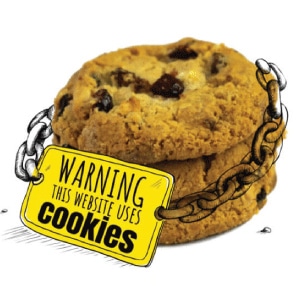
Les cookies vous garantissent une navigation fluide et sont pratiques, car ils vous permettent de rester connecté pendant un certain temps. Cependant, certains sites web utilisent les cookies à des fins malveillantes ; ils peuvent servir à suivre votre comportement de navigation. Ces informations peuvent ensuite être utilisées pour établir votre profil, et vous pourriez alors remarquer que certains types de publicités apparaissent sur chaque page web que vous ouvrez. Le mode incognito empêche votre navigateur de stocker des cookies ; votre comportement de navigation ne sera donc pas suivi.
En bref, c'est tout ce que fait le mode Incognito, et en ce qui concerne la vie privée, Incognito n'est pas vraiment privé.
 Idées fausses sur le mode Incognito
 Idées fausses sur le mode Incognito
- Votre fournisseur d'accès à Internet ne voit pas vos activités en ligne
En mode incognito, votre confidentialité n'est assurée qu'au niveau local (dans votre navigateur). Votre FAI et d'autres regards indiscrets, tels que les cybercriminels, pourront toujours voir ce que vous avez fait en ligne. Ils s'appuient en effet sur votre trafic Internet, qui transite par votre adresse IP.
- Vous êtes protégé contre les virus et les logiciels malveillants
Le mode Incognito ne vous protège pas contre les diverses menaces en ligne telles que les logiciels malveillants. Vous pouvez également être victime de menaces telles que le phishing et le spoofing. Un antivirus/logiciel malveillant réputé et une cyberconscience vous aideront à lutter contre ces menaces en ligne.
- Pas d'empreinte digitale du navigateur
Le mode incognito peut contribuer à réduire au minimum l'empreinte numérique de votre navigateur, mais celui-ci continuera néanmoins à divulguer des informations permettant de vous identifier, en tout ou en partie, telles que le type de votre système, la résolution de votre écran, votre fuseau horaire, les extensions actives et d'autres informations relatives à votre navigateur.
- Votre emplacement sera privé
Le mode incognito ne garantit pas la confidentialité de votre localisation, car il ne masque pas votre adresse IP. Les services de géolocalisation utilisent votre adresse IP pour déterminer où vous vous trouvez. La seule façon de préserver la confidentialité de votre localisation consiste à masquer votre adresse IP et à la remplacer par une autre (par exemple, en utilisant un VPN).
 Utilisez le VPN IPBurger pour protéger votre vie privée
 Utilisez le VPN IPBurger pour protéger votre vie privée
Le meilleur moyen de protéger votre vie privée et de naviguer de manière anonyme est d'utiliser un VPN. IPBurger VPN vous offre une sécurité et une confidentialité optimales en chiffrant votre trafic Internet à l'aide de l'une des normes de chiffrement les plus robustes et inviolables qui soient : l'AES 256 bits. Votre trafic Internet est ensuite acheminé via nos serveurs sécurisés jusqu'à ce qu'il atteigne sa destination. Ce chiffrement protège votre trafic Internet contre les regards indiscrets, notamment ceux de votre FAI, des cybercriminels et des autorités.
De plus, IPBurger VPN vous attribue une adresse IP virtuelle qui masque votre adresse IP réelle. Cela permet de dissimuler votre adresse IP réelle et d'éviter que votre emplacement réel ne soit révélé. C'est ainsi que vous garantissez la confidentialité de vos données.




