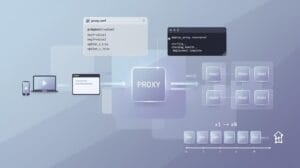
Браузеры с функцией защиты от обнаружения выполняют одну задачу: маскируют ваш «отпечаток». Но как только платформа проверяет ваш IP-адрес и обнаруживает повторно используемый адрес, диапазон адресов дата-центра или местоположение, не соответствующее настройкам вашего профиля, маскировка «отпечатка» теряет смысл.
В большинстве случаев блокировка аккаунтов при использовании браузерных прокси с многопользовательским входом связана с неправильной настройкой прокси, а не с подозрительными отпечатками. Вину возлагают на браузер, но, как правило, именно IP-адрес и выдает пользователя.
Правильная настройка параметров прокси — вот что отличает надежную конфигурацию от той, которая постоянно попадает в черный список. Вот как это правильно сделать в GoLogin, AdsPower и Multilogin.
Почему прокси играет более важную роль, чем думает большинство продавцов
Платформы не просто проверяют ваш «отпечаток». Они одновременно проводят независимые проверки IP-адреса, и проблемный IP-адрес не проходит эти проверки, независимо от того, насколько «чистым» является ваш «отпечаток».
Существует три способа, которыми прокси может сорвать установку:
- «Заблокированные» IP-адреса: адрес , ранее связанный с заблокированной учетной записью, уже находится под наблюдением. Как только вы его используете, ваша новая учетная запись унаследует эту историю.
- IP-адреса центров обработки данных: Большинство платформ без труда распознают диапазоны IP-адресов центров обработки данных. Даже идеальный «отпечаток» бесполезен, если сам IP-адрес служит явным признаком.
- Географические несоответствия: ваш IP-адрес указывает на одну страну, ваша учетная запись — на другую, а часовой пояс — на третью. Платформы учитывают все три показателя одновременно, и именно несоответствие между ними вызывает срабатывание системы оповещения.
Правило для любой настройки браузерных прокси с несколькими входами: один выделенный IP-адрес на каждый профиль, который ни в коем случае не должен использоваться совместно. Совместное использование IP-адресов создает сигналы, указывающие на связь между аккаунтами, которые невозможно устранить с помощью изоляции «отпечатков пальцев».
Какой тип прокси лучше использовать?
Не все типы прокси работают одинаково в браузере с функцией защиты от обнаружения. Правильный выбор зависит от того, для каких целей вы используете аккаунты и как часто требуется входить в систему.
Прокси-серверы для жилых помещений
- Сменяющиеся IP-адреса, принадлежащие реальным домашним подключениям
- Подходит для создания новых аккаунтов и их «разогрева»
- Идеально подходит для крупных сельскохозяйственных предприятий, где приходится часто переключаться между множеством профилей
- Оплата производится в зависимости от трафика, а не по IP-адресу
Статические прокси-серверы для частного использования (ISP)
- Один и тот же выделенный IP-адрес при каждом входе в систему
- Неограниченный трафик, один IP-адрес на аккаунт
- Лучший выбор для долгосрочного управления аккаунтами в социальных сетях, на платформах электронной коммерции или рекламных площадках
- На них работают самые серьезные системы
Прокси-серверы для центров обработки данных
- На любой платформе, где серьезно относятся к вопросам безопасности, это почти сразу вызывает подозрения
- Использовать стоит только для сбора данных с низким уровнем риска, когда потеря сеанса не имеет значения
- Не подходит для управления несколькими аккаунтами в браузерах с функцией защиты от обнаружения
Мобильные прокси-серверы
- Самый высокий уровень доверия среди всех типов прокси-серверов
- Разработано для платформ, ориентированных в первую очередь на мобильные устройства, и ниш с высоким уровнем риска
- Самый дорогой вариант — с заметным отрывом
Как только вы выберете подходящий тип, сама настройка не представляет сложности. Процесс немного отличается в разных браузерах, поэтому ниже описано, как это делается в каждом из них.
Настройка прокси GoLogin
GoLogin поддерживает протоколы HTTP, SOCKS4 и SOCKS5. SOCKS5 является более подходящим выбором для большинства сценариев использования, поскольку он поддерживает больше типов трафика и обеспечивает более высокую степень анонимности.
Как добавить прокси-сервер:
- Создать или открыть существующий профиль
- Перейдите на вкладку «Прокси» и выберите «Ваш прокси»
- Выберите протокол, а затем введите IP-адрес, порт, имя пользователя и пароль
- Запустите встроенную программу проверки прокси, чтобы подтвердить подключение, часовой пояс, геолокацию и настройки WebRTC
- Сохранить и запустить
Если вы настраиваете сразу несколько профилей, вставьте прокси в формате «IP:порт:пользователь:пароль», чтобы массово присвоить их всем профилям. На каждый профиль — по одному прокси, без исключений.
Встроенный пул GoLogin насчитывает около 10 000 IP-адресов в 78 странах. Он подходит для неинтенсивного использования, но большинству пользователей, настраивающих серьезные конфигурации с несколькими входами и браузерными прокси, довольно быстро понадобятся внешние резидентные прокси или прокси от интернет-провайдеров.
Для получения более подробной информации ознакомьтесь с руководством IPBurger о том, как настроить прокси GoLogin с использованием резидентных прокси и прокси от интернет-провайдеров.
Настройка прокси-сервера AdsPower
AdsPower поддерживает протоколы HTTP, HTTPS, SOCKS5 и SSH. Интерфейс этой программы более сложный, чем у GoLogin, но как только вы найдете, где находятся настройки прокси, всё окажется довольно простым.
Как добавить прокси-сервер:
- Создайте новый профиль и откройте вкладку «Прокси»
- Выберите «Пользовательский» и укажите протокол
- Введите имя хоста, порт, имя пользователя и пароль (или вставьте данные в формате «IP:порт:пользователь:пароль»)
- Перед сохранением нажмите «Проверить прокси»
- Сохранить и запустить
Для более масштабных операций AdsPower позволяет пакетно обновлять настройки прокси для нескольких профилей и назначать их в случайном порядке. Это удобно, когда вам нужно одновременно запустить большое количество аккаунтов.
У AdsPower нет встроенного пула прокси, поэтому каждому профилю с самого начала требуется внешний прокси. Если вы только выбираете, какие прокси использовать и как их настроить,
Наши прокси-серверы AdsPower пошагово объясняет весь процесс.
Настройка прокси с поддержкой нескольких авторизаций
Multilogin — единственный из этих трёх сервисов, в котором прокси уже включены в базовую комплектацию. Каждая подписка предоставляет доступ к пулу «резидентных» IP-адресов, насчитывающему более 30 млн адресов в более чем 150 странах, а «отпечатки» автоматически настраиваются в соответствии с местоположением прокси. Таким образом, проблема несоответствия географического положения практически решается сама собой.
Для внешних прокси-серверов Multilogin поддерживает протоколы HTTP, HTTPS и SOCKS5. Процедура такая же, как и в других браузерах: настройте параметры на уровне профиля перед запуском.
Встроенные и внешние:
| Встроенный бассейн | Внешний статический IP-адрес | |
| Тип IP | Вращающиеся жилые здания | Фиксированная сумма за каждый счет |
| Идеально подходит для | Создание учетной записи, фарминг | Долгосрочное управление счетами |
| Географическое сопоставление | Автоматический | Требуется ручная настройка |
| Управление по IP | Ограниченный | Полный текст |
Встроенный пул покрывает большинство сценариев использования. Однако его недостатком является отсутствие возможности долгосрочного управления учетными записями. Если вашим учетным записям требуется, чтобы один и тот же выделенный IP-адрес стабильно отображался в течение недель или месяцев, вам понадобится внешний статический резидентный прокси поможет вам в этом. Сменяющиеся IP-адреса подходят для создания и «разогрева» аккаунтов. Для стабильного управления прокси-серверами в браузере с несколькими входами в систему лучше использовать фиксированный IP-адрес для каждого аккаунта.
IPBurger предоставляет каждому профилю уникальный IP-адрес для работы
GoLogin и AdsPower не предоставляют прокси. Multilogin предоставляет, но его пул прокси меняется. Если вам нужен статический IP-адрес, который будет постоянно привязан к одной учетной записи, вам понадобится внешний провайдер.
IPBurger поддерживает все три сценария использования. Прокси-серверы для частных пользователей для создания аккаунтов и их «разогрева». Статические прокси-серверы с частных адресов (ISP) для долгосрочного управления, когда каждый раз используется один и тот же IP-адрес. Свежие выделенные IP-адреса для тех случаев, когда нельзя рисковать унаследовать историю банов другого пользователя.
Каждый IP-адрес присваивается только одному пользователю, что и позволяет избежать ситуации, когда «грязный» IP-адрес срывает иначе безупречную конфигурацию отпечатков.
Поддержка SOCKS5 означает, что всё работает «из коробки» с GoLogin, AdsPower и Multilogin. Простая настройка управления несколькими учетными записями в любом из этих браузеров.
Надежность ваших профилей браузера зависит от надежности IP-адреса, с которого они запущены
Маскировка отпечатков пальцев эффективна лишь до определённого предела. Грязный или слабый IP-адрес сводит её на нет, и неважно, насколько хорошо настроен браузер. Для нормальной работы в реальных масштабах GoLogin и AdsPower требуют внешних прокси. Встроенный пул Multilogin справляется с большинством ситуаций, но именно выделенный IP-адрес на каждую учетную запись со временем дает вам реальный контроль. В конечном итоге, прокси для браузеров с поддержкой многопользовательского входа сводятся к одному — подбору правильного типа IP-адреса с учетом того, как эти учетные записи фактически используются.