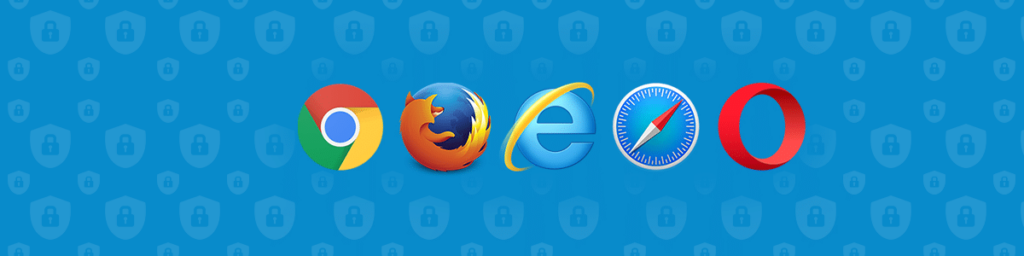
Los navegadores web son las plataformas que nos permiten a todos acceder a Internet. Nos permiten modificar ajustes y configuraciones para que la experiencia en línea sea mejor, más fluida y más personalizada. Hay varios navegadores en el mercado, cada uno con puntos fuertes, puntos débiles y percepciones públicas que cambian según a quién preguntes.
Está claro que, al menos hoy en día, el navegador web más famoso de Internet es Google Chrome. Está administrado por el gigante online Google, y es ampliamente utilizado en varios países y sociedades. Sin embargo, eso no significa necesariamente que Chrome sea el navegador más seguro.
La mayoría de los navegadores habituales no pueden considerarse seguros
De hecho, Google Chrome, a pesar de todas sus funcionalidades y características (es, de hecho, una excelente opción) no está ni cerca de encabezar la lista de los navegadores más seguros. A estas alturas, el sector sabe que Google rastrea el tráfico y la actividad en línea de los usuarios para ofrecer una experiencia más personalizada.
Aunque a una parte considerable de la comunidad le gusta Google Chrome porque casi puede "predecir"los resultados de las búsquedas y los anuncios, otra buena parte piensa que lo que hace la empresa es una desagradable violación de la privacidad que debería evitarse.
Lamentablemente, Google Chrome no es el único navegador que se enfrenta a acusaciones de espionaje de tráfico. Microsoft Edge y Safari llevan a cabo actividades similares, socavando la privacidad de las personas y su derecho a navegar por Internet de forma anónima.
Sin embargo, hay que tener en cuenta una cosa: ser seguro no es necesariamente lo mismo que ser privado. Aunque los navegadores mencionados son conocidos por sus prácticas invasivas de privacidad, son seguros en el sentido de que no son fáciles de piratear y pueden soportar exploits de sitios web.
Utilice una VPN para mejorar la seguridad y la privacidad
In any case, if you want to enjoy secure and private web browsing, streaming, or even torrenting, there are tools available online that can help you. The most efficient of them all is implementing a Virtual Private Network (VPN.)
Las VPN son recursos de encriptación en línea que pueden proteger el contenido de las personas construyendo un túnel virtual para que pase de forma segura. De ese modo, evitará a hackers, desarrolladores de malware, anunciantes online, agencias gubernamentales de vigilancia y aplicación de la ley y otros agentes externos.
One of the things that remain hidden from the external world under a VPN is the user’s IP address, which functions as its online identity. It means that the person using the Virtual Private Network will be anonymous online, enhancing privacy and security.
If your favorite browser isn’t secure enough, you can implement a VPN like IPBurger to give you peace of mind. IPBurger is a reputed brand with a track record of handling people’s data privacy and anonymity responsibly.
 Nuestra lista de los navegadores más seguros
 Nuestra lista de los navegadores más seguros
Tor: The Onion Router (TOR) utiliza una red de nodos para cifrar el contenido compartido en línea del usuario y protegerlo de cualquiera que quiera hacerse con él. Se trata de un proyecto de código abierto que es algo así como una versión reforzada de Firefox.
Tor puede vencer a la huella digital del navegador y también se parchea con frecuencia para combatir los problemas de seguridad, por lo que puede ser considerado posiblemente el navegador más seguro que existe. El problema con Tor es que es dolorosamente lento y hace que determinadas actividades, como el streaming, sean casi imposibles de realizar.
Entre las principales características de seguridad de Tor podemos encontrar los plugins HTTPS Everywhere y NoScript, la implementación de Disconnect.me como motor de búsqueda por defecto, y la capacidad de bloquear plugins como QuickTime, RealPlayer y Flash.
El modo de Navegación Privada es fantástico, ya que protege al usuario del rastreo y no guarda el historial de navegación, las contraseñas, el historial de búsqueda, las cookies ni el contenido de la caché.
Firefox: Es uno de los pocos navegadores de uso general que pueden considerarse seguros. Es un proyecto de código abierto gestionado por la Fundación Mozilla. Está repleto de funciones y complementos de privacidad que mejoran la privacidad y, además, se actualiza con frecuencia para eliminar posibles vulnerabilidades de seguridad.
Firefox incorpora protección contra el rastreo y su código ha sido auditado exhaustivamente. Además, próximamente habrá una protección integrada contra el rastreo de huellas dactilares. El navegador Firefox no rastrea la actividad del usuario para ofrecer publicidad personalizada.
Comodo Dragon / Ice Dragon: La marca Comodo tiene dos navegadores, uno para Chromium, que es el Dragon, y otro para Firefox, que es el Ice Dragon. Puede permitir a los usuarios seleccionar servidores DNS seguros para mejorar la privacidad y la seguridad en línea. También tiene un "modo virtualizado", hecho para aislarse del sistema anfitrión.
Freenet: es una plataforma basada en el principio peer-to-peer que ofrece a los usuarios la posibilidad de publicar contenidos sin censura, así como navegar anónimamente por la red. Funciona guardando datos cifrados en una configuración descentralizada y distribuida.
El Proyecto Internet Invisible (I2P): también fomenta la navegación anónima mediante un intercambio seguro de mensajes. Utiliza la tecnología DarkNet para evitar que terceros y agentes externos rastreen contenidos en línea.
Otros navegadores seguros:
- Waterfox
- Valiente
- Luna pálida
- Firefox Focus
- Navegador Yandex
En conclusión, no hay que pasar por alto las amenazas a la seguridad en Internet. Su uso conlleva un riesgo añadido, ya que la mayoría de los navegadores web vienen con posibles vulnerabilidades o, peor aún, guardan y comparten registros de datos y actividad.
Para reducir los riesgos de seguridad y privacidad, utilice una marca de VPN de renombre como IPBurger VPN o introduce algunos navegadores nuevos y seguros en tu experiencia online.