El modo incógnito es una función de privacidad muy útil, pero no garantiza una privacidad total frente a todas las miradas indiscretas. Principalmente, te ayuda a mantener cierto grado de anonimato, sobre todo cuando también se activa la función «No rastrear». Al navegar por Internet en este modo, la siguiente persona que utilice el mismo navegador no sabrá lo que has estado haciendo. Esto se debe a que el modo incógnito borra tu sesión de navegación. Además, evita lo siguiente:
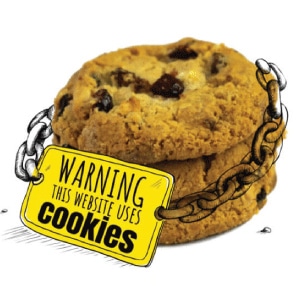 Sin seguimiento por cookies
Las cookies garantizan una navegación fluida y resultan muy prácticas, ya que permiten mantener la sesión iniciada durante un tiempo. Sin embargo, hay sitios web que utilizan las cookies con fines maliciosos; pueden servir para rastrear tu comportamiento de navegación. Esta información puede utilizarse para crear un perfil tuyo, por lo que es posible que empieces a ver determinados tipos de anuncios en todas las páginas web que abras. El modo incógnito impide que el navegador almacene cookies y, por lo tanto, no se rastreará tu comportamiento de navegación.
En pocas palabras, esto es todo lo que hace el modo incógnito, y en lo que respecta a la privacidad, Incógnito no es realmente privado.
 Ideas falsas sobre el modo incógnito
 Ideas falsas sobre el modo incógnito
- Tu proveedor de Internet no verá tus actividades online
En el modo incógnito, solo mantienes la privacidad a nivel local (en tu navegador). Tu proveedor de servicios de Internet y otras personas con intenciones maliciosas, como los ciberdelincuentes, seguirán viendo lo que has estado haciendo en línea. Para ello, se basan en tu tráfico de Internet, que se envía a través de tu dirección IP.
- Estás protegido contra virus y malware
El modo incógnito no te protege contra varias amenazas online como el malware. También puedes ser víctima de amenazas como el phishing y el spoofing. Un antivirus/malware de confianza y ser ciberconsciente te ayudarán contra estas amenazas online.
- Sin huellas digitales del navegador
El modo incógnito puede ayudar a minimizar la huella digital del navegador, pero aun así, tu navegador revelará información que te identifica total o parcialmente, como el tipo de sistema, la resolución de pantalla, la zona horaria, los complementos activos y otros datos sobre tu navegador.
- Su ubicación será privada
El modo incógnito no mantiene tu ubicación en el anonimato, ya que no oculta tu dirección IP. Los servicios de geolocalización utilizan tu dirección IP para determinar tu ubicación. La única forma de mantener tu ubicación en el anonimato es ocultando tu dirección IP y sustituyéndola por otra (por ejemplo, utilizando una VPN).
 Utiliza IPBurger VPN para proteger tu privacidad
 Utiliza IPBurger VPN para proteger tu privacidad
La mejor forma de proteger tu privacidad y navegar de forma anónima es utilizando una VPN. IPBurger VPN te ofrece la máxima seguridad y privacidad al cifrar tu tráfico de Internet mediante uno de los estándares de cifrado más sólidos e inviolables: AES de 256 bits. A continuación, tu tráfico de Internet se canaliza a través de nuestros servidores seguros hasta llegar a su destino. Este cifrado protege tu tráfico de Internet frente a miradas indiscretas, como las de tu proveedor de servicios de Internet, los ciberdelincuentes y el gobierno.
Además, IPBurger VPN te asigna una dirección IP virtual que oculta tu dirección IP real. De este modo, se oculta tu dirección IP real y tampoco se revela tu ubicación real. Así es como se garantiza la privacidad.




