Change Session ID for Residential Proxies
Session ID works to provide you the same IP address for a specified time. At times, you may need to change the IP by yourself before the session time expires. This can be done by changing the session ID on your browser extension.
Update session ID from the browser extension
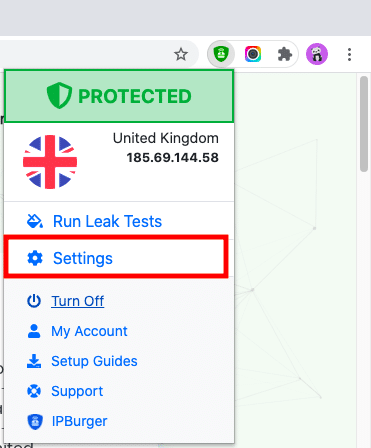
Go to the browser where you configured the extension and click on the extension icon.

On the Menu dropdown list, click on ‘Settings’.
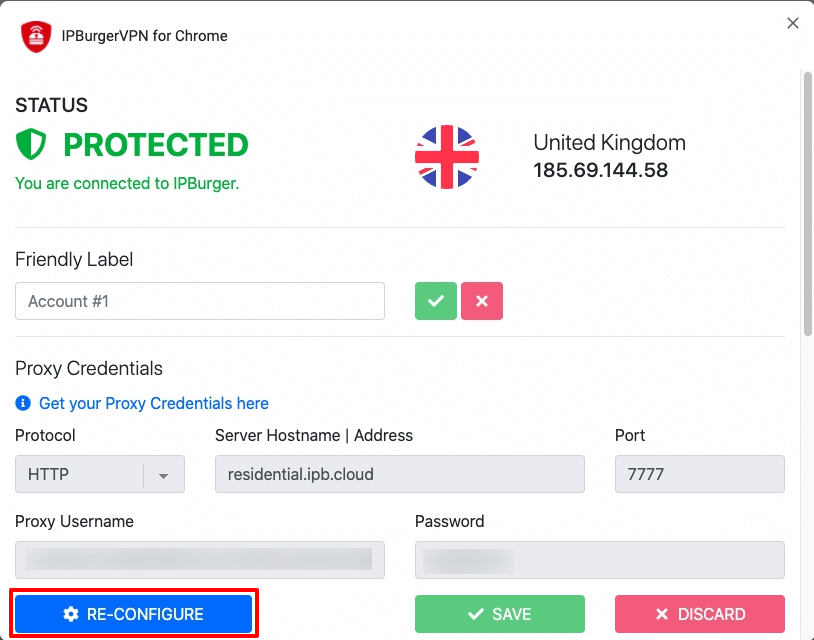
Once the extension setup opens up, click on the RE-CONFIGURE button.
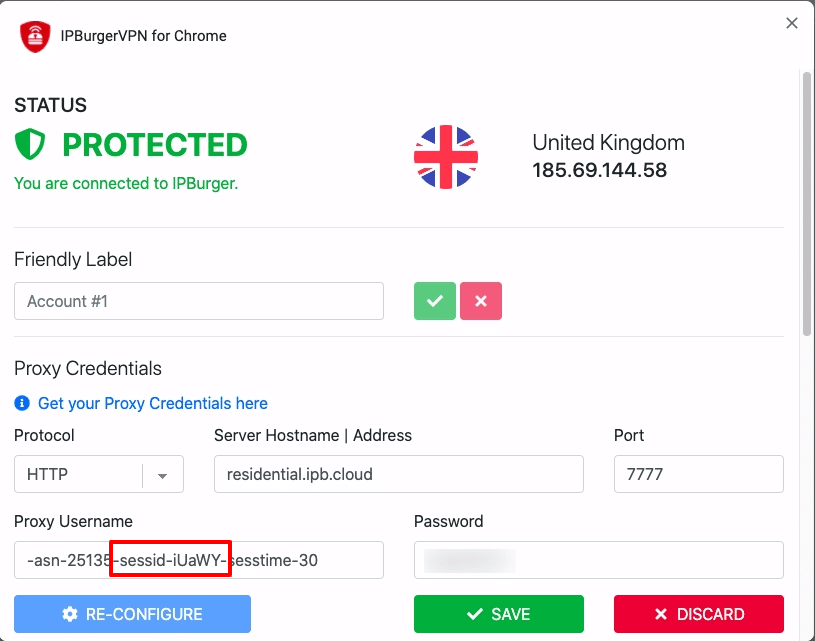
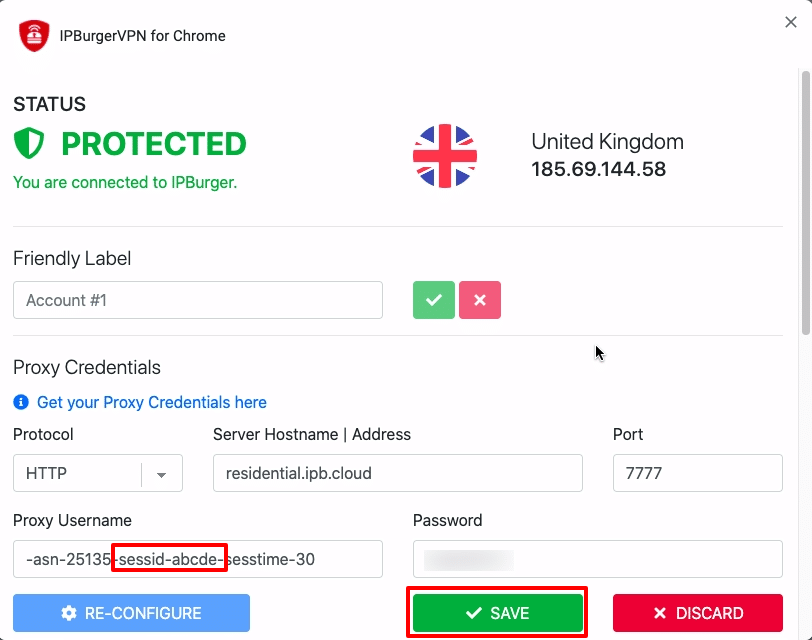
Now, you will be able to edit your proxy username. The five-letter code after the “sessid” is the session ID. You can replace this code with any random combination of five letters like “abcde” or “deger” or “werew” or anything else (without the quotes).
Once done, it should look like the screenshot below. You can then click on the Save button.
For any queries, feel free to reach out to our Support, we are happy to help!