Set up L2TP/IPSec on Android
8 min
L2TP/IPSec is a widely used legacy VPN Protocol and it supports most operating systems. It is very easy to set up directly on the OS and doesn’t require any additional software installation.
Requirements
- Operating System- Android
- Unrestricted Internet.
Connect to VPN with L2TP/IPSec
1. Get L2TP/IPSec Credentials For Your IP Address
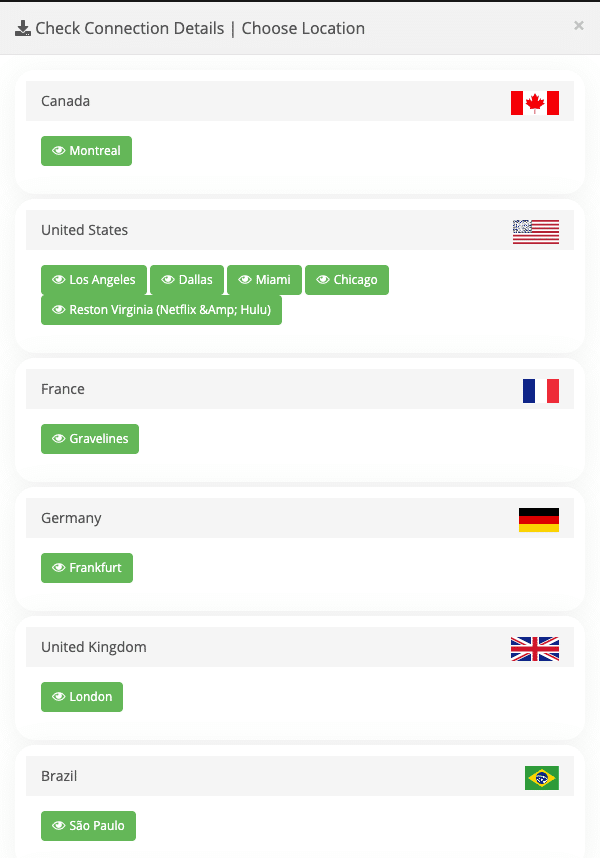
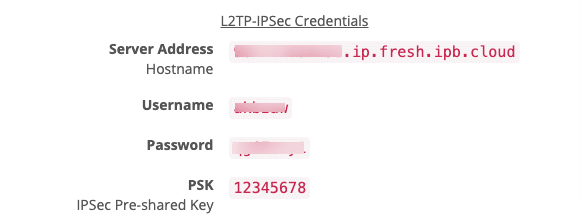
L2TP/IPSec uses L2TP/IPSec protocol. Find your L2TP/IPSec Credentials from your Service Page.
Further steps shows how to get credentials for:

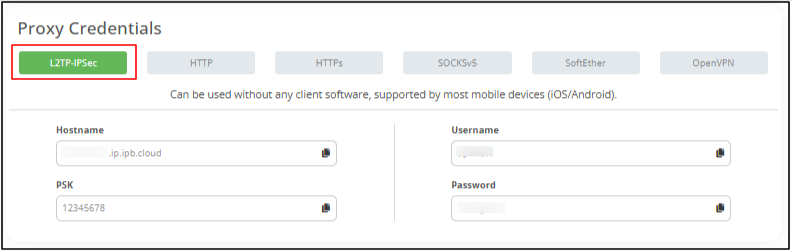
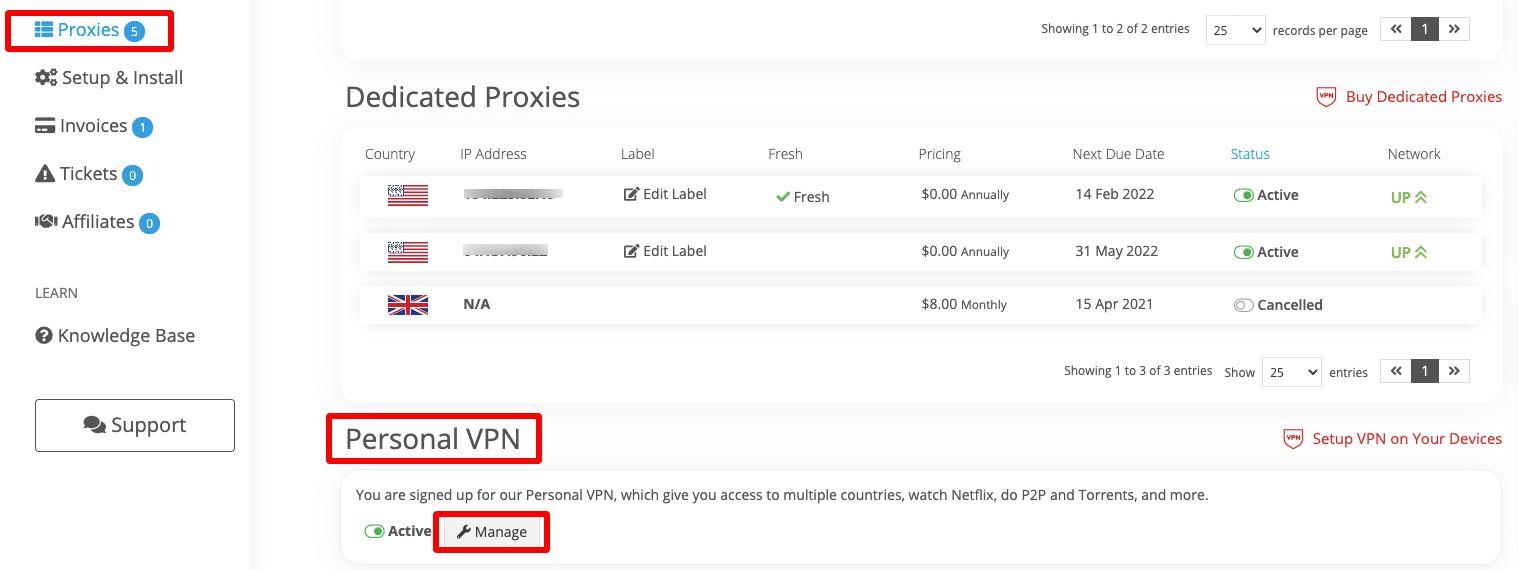
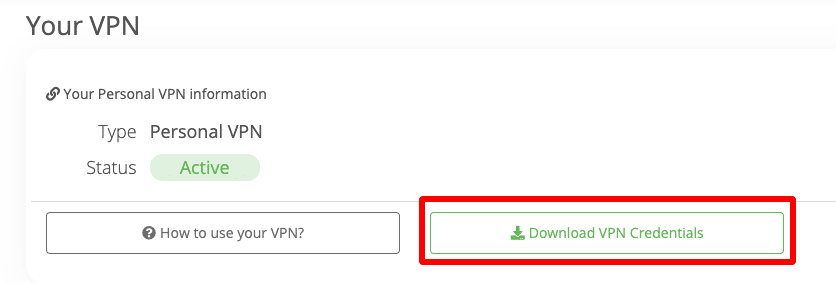
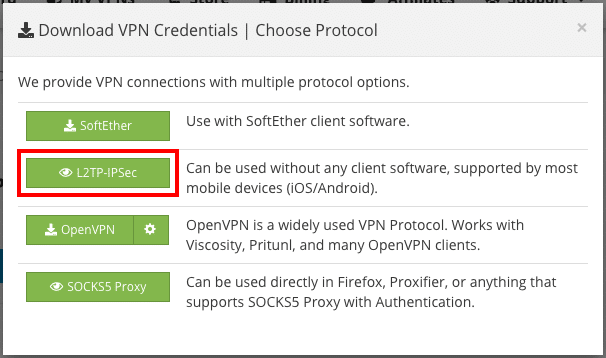
2. Configure L2TP/IPSec in Android
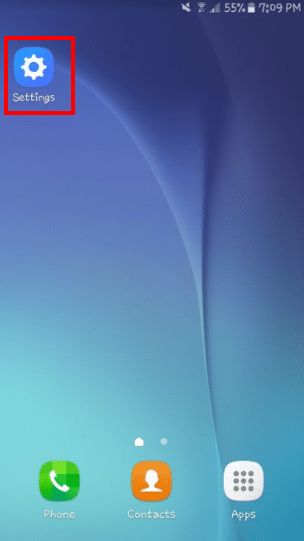
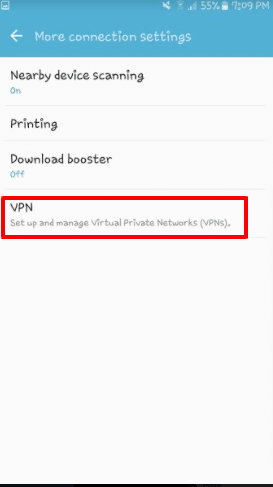
Open Settings > Wireless and Networks > VPN (under More, if not found)
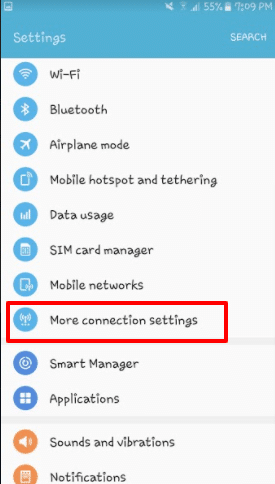
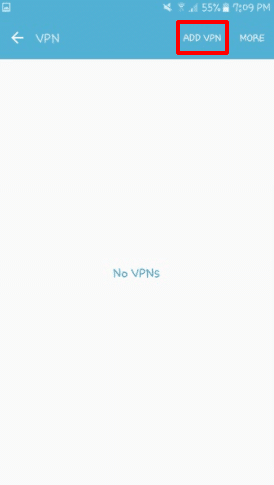
Tap the Add VPN.
In the form that appears,
- Give it a friendly name.
- Set the Type to L2TP/IPsec PSK
- Copy/Paste the Server Address (Host Name) and PSK.
- Tap Save.

3. Connect to VPN
Click on the Profile and enter username and password and then click on Connect.

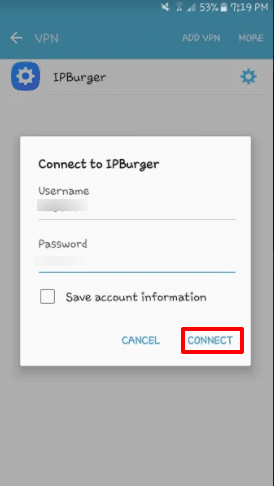
Now you are connected to IPBurger VPN.
If you are having issues connecting, please contact our Support, we are happy to help!
Next Steps
Perform Leak Tests
Please follow:
For any queries, feel free to reach out to our Support, we are happy to help!